
Work in real dimensions.
Build geometry with lines, ellipses, rectangles, text and vector points. Set exact dimensions, snap deliberately, and place a pivot for scaling or rotation. Organize a layout without connecting a machine.
02D / DESIGN · CAM · GRBL SENDER
ONE PROJECT. FROM SKETCH TO SEND.
Draw a part, decide how it should be cut, and send the job from the same workspace.
Skipper D brings 2D design, machining recipes and GRBL machine control together for makers who want to understand—and shape—their process.
C$2.99 CAD/month, plus applicable tax. Cancel renewal anytime. Checkout opens when delivery is ready.
SMALL SHOP. PRECISE INTENT.
For signs, panels, templates, fixtures, outlines and engraved details. Skipper D concentrates on 2D geometry and controlled machining—not 3D solids, sculpting or pretending every machine is identical.
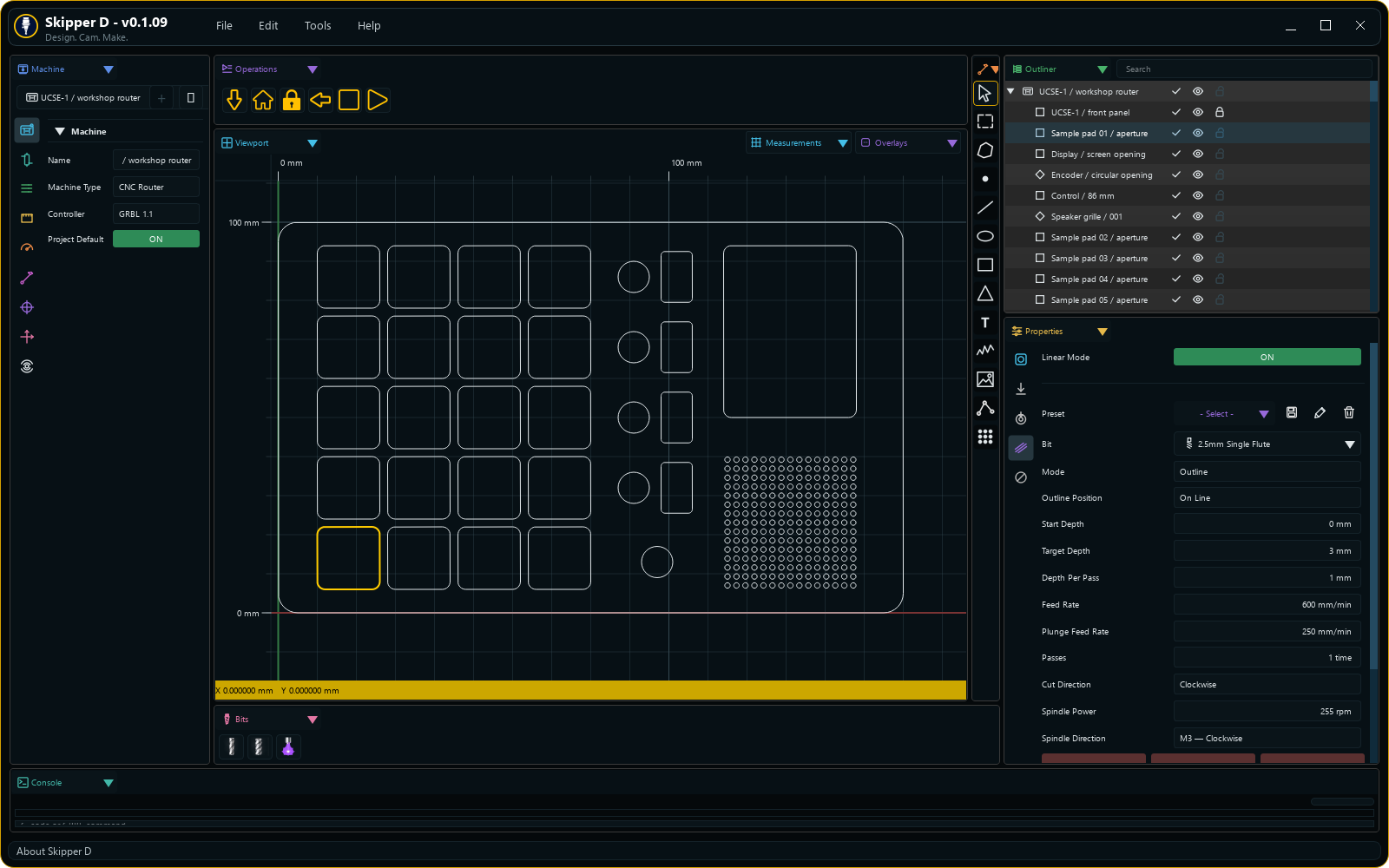
Build geometry with lines, ellipses, rectangles, text and vector points. Set exact dimensions, snap deliberately, and place a pivot for scaling or rotation. Organize a layout without connecting a machine.
Choose Linear outline or surface work, pecking, image or text processing. Save machining settings as presets while keeping physical bit details separate. Use no-go regions to protect parts of a design.
Connect a supported GRBL controller, jog, check selection extremes and follow job progress. Reuse editable command operations or export G-code for inspection before running.
A DIFFERENT APPROACH TO EDGES
Shape a bevel cross-section on a snapped, zoomable grid. Adjust points and curve handles, then use it with pecking so work is completed locally before moving on.
Continuous bevelling can carry suitable cuts down through a local section without a retract between every stage. The tool geometry and accessibility still matter: a drawn profile is not a guarantee that a straight end mill can reach it.
Understand bevel profiles ↗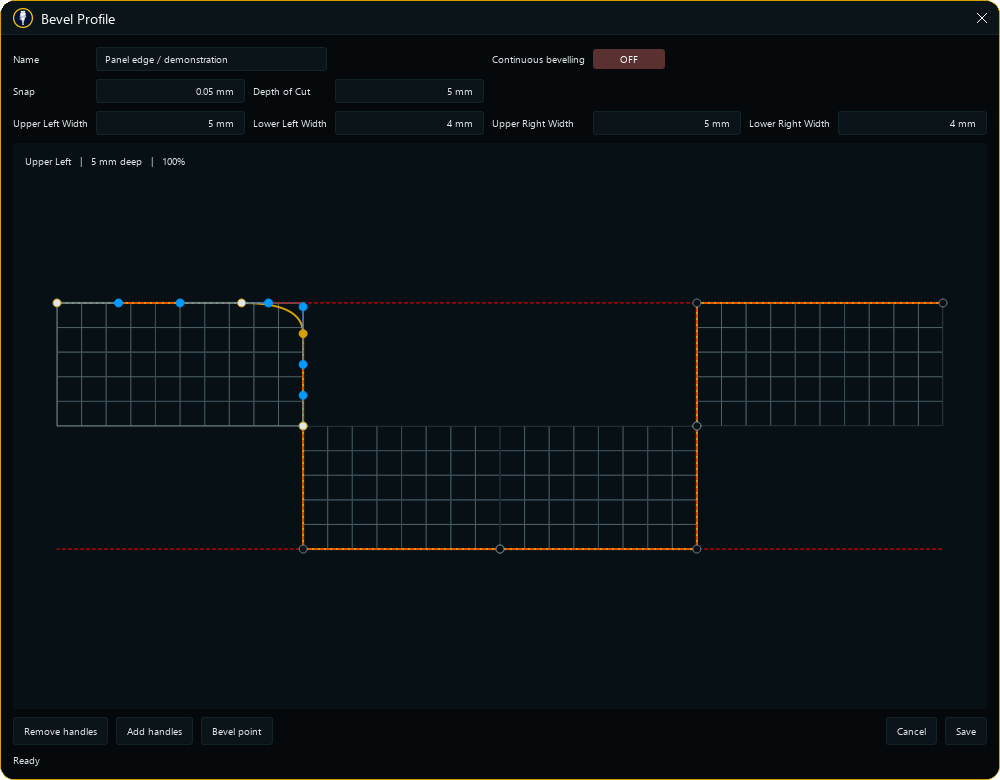
DETAILS THAT EARN THEIR SPACE
A specialized tool can be approachable without hiding what makes it specialized. Learn the essentials first; bring the deeper controls into view when the job needs them.
Repeat complete operations, control cut direction, and enable only the additional techniques you need. Independent foldouts hold cooling, spring passes and specialized motion settings.
Independent image and text settings. Laser images map brightness between white and black power, with alternating scan direction, pixel gap and resolution tied to the selected beam size.
Save recipes, bit definitions and editable G-code operations. Arrange editor areas to suit your screen. Projects retain their layout geometry and machining settings for the next session.
A CLOSER LOOK / REAL APP CAPTURES
Go beyond a drawing and a Send button. Keep a library of detailed machining recipes, build your own command operations, and follow the cutter from a second computer.
02 / PRESET CONTROL
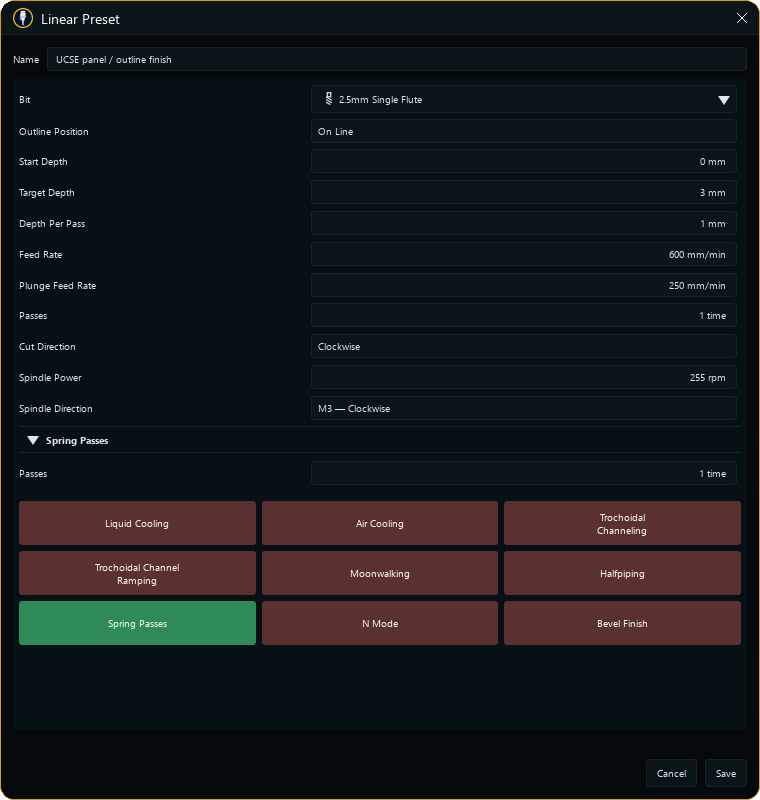
A useful preset remembers more than feed and depth. Linear recipes keep the selected bit, machining values, feature switches and the settings inside their foldouts—even when those features are hidden.
03 / OPERATIONS EDITOR
Turn a repeatable sequence into a named operation. The colour-grouped palette puts G-code, machine outputs, parameters, realtime bytes and common combinations within reach.
Drag commands into blocks, edit their values in place, and rearrange the sequence. Command descriptions and examples explain the available codes; inline validation flags invalid configurations before saving.
Explore machine controls ↗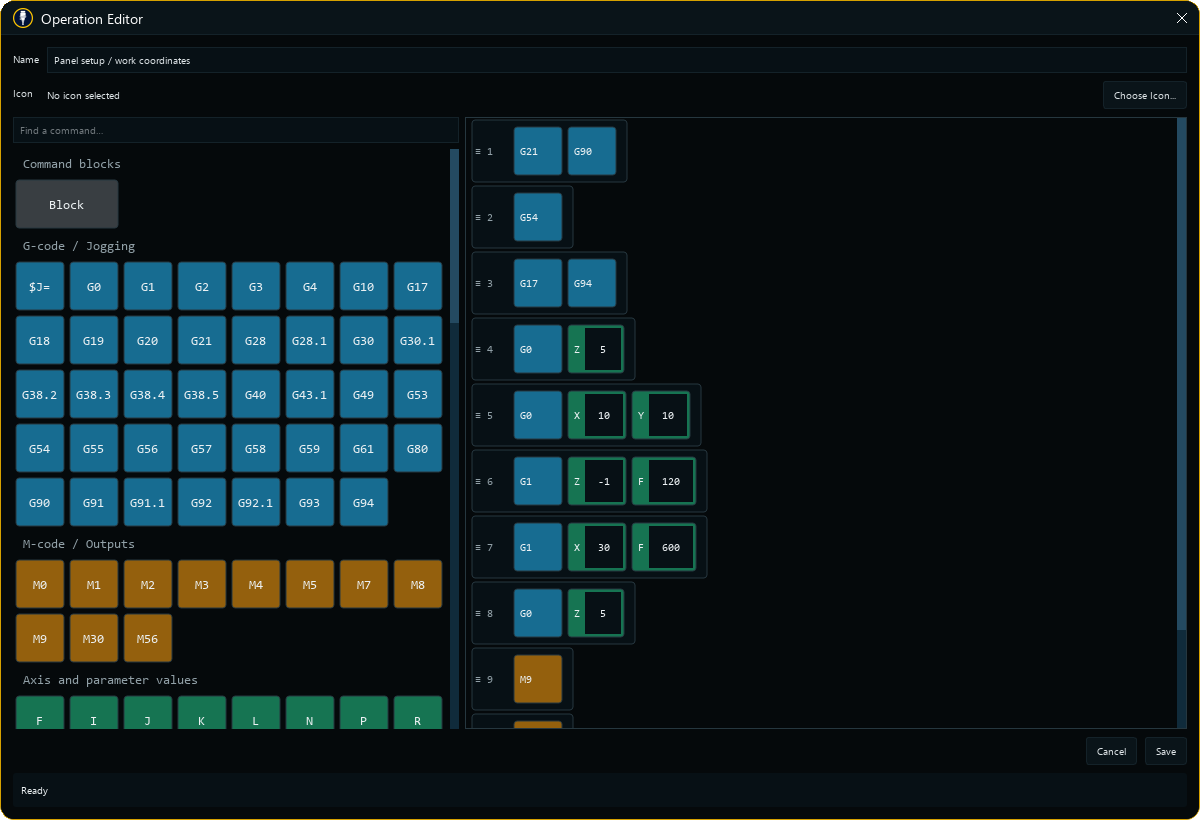
04 / NETWORK CONTROL & MONITORING
Use Cutter and Viewer roles to separate the computer connected to the machine from the screen you use to monitor it. The Viewer can receive the cutter's project and follow its reported state.
Requires configured network access and a connected Cutter/Viewer session. Keep the machine supervised; a disconnected or delayed Viewer cannot guarantee an immediate stop.
Explore remote monitoring ↗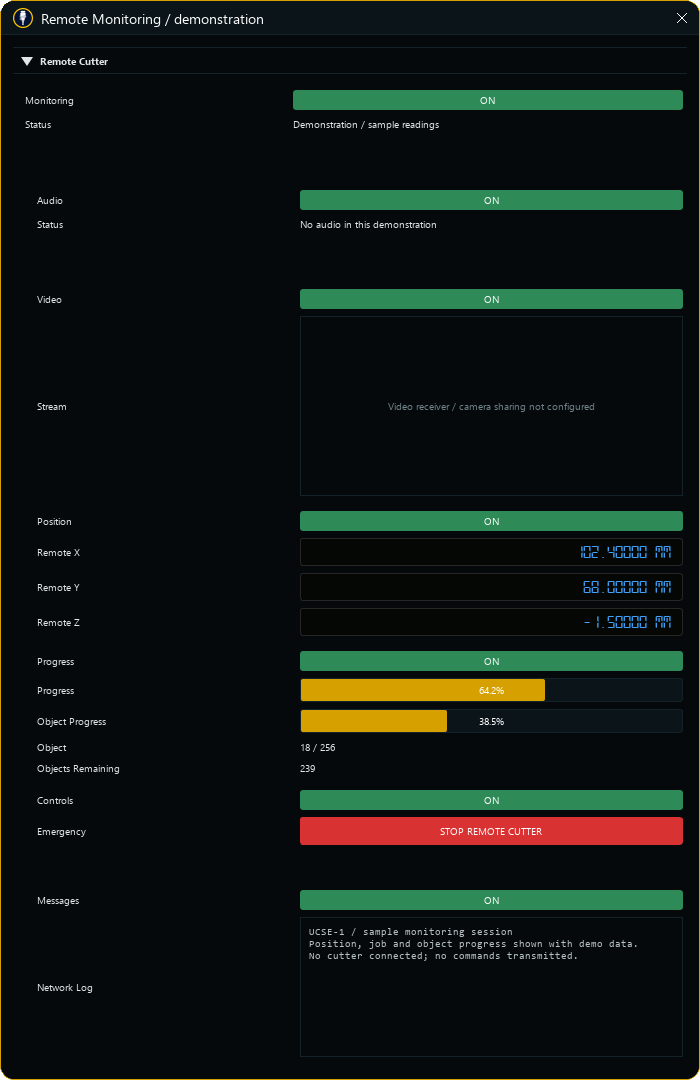
SIMPLE MONTHLY PRICING
C$2.99 CAD per month includes every current Skipper D feature, plus downloads and updates while your subscription is active. No feature tiers or separate bevel, image or text add-ons.
Billed monthly, plus applicable tax. Renews automatically until canceled. Cancel renewal from your account’s Manage billing page; access continues until the paid period ends.
SKIPPER D / WINDOWS
CAD $2.99 / month
Drawing, CAM, CNC and laser workflows. One monthly plan.
Get Skipper D ↗Checkout stays closed until payment and delivery are ready. No public download is currently available.
BEFORE YOU COMMIT
Skipper D targets GRBL workflows. That does not mean every GRBL fork, controller, laser or spindle setup is supported. Read the compatibility checklist and send your controller model and firmware details if you are unsure.
Not necessarily. Its object-based recipes, rearrangeable workspace and specialized plunge/bevel approach are intentional. Start with the field guide and a simple project rather than assuming the controls map one-to-one to another program.
Yes. Describe the result you need, your machine and a small reproducible example. Requests inform development, but a request is not a promise of a feature or a delivery date. Send a useful report.
No. It is a focused 2D design, CAM and sending workspace. Cut-area previews do not replace machine setup, tool-clearance checks or a supervised test run.
Checking download count…
Counts completed server transfers, including repeat downloads; not unique users or installations.